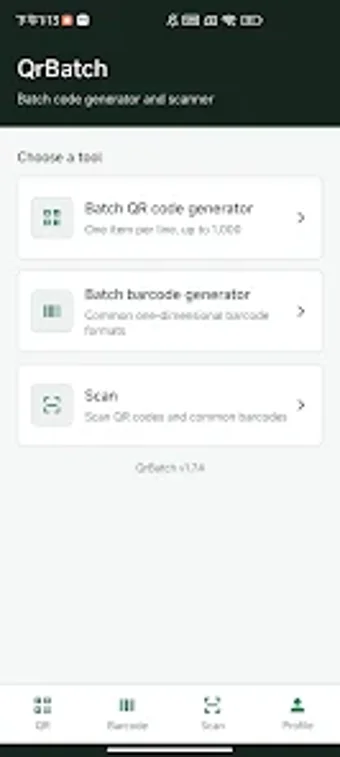
QrBatch bulk generator for rapid QR and barcode production
Experience a practical bulk-code workflow with QrBatch: Bulk Code Generator, developed by WeiYou, for high-volume creation of scannable codes. The app converts lists of text, links, or order numbers into batches of QR codes and one-dimensional barcodes to remove manual one-by-one creation. Key capabilities include multi-format output, import and export tools, batch previews, and an integrated scanner for verification. Built for retail staff, logistics managers, and event organizers who need repeatable label and ticket production at scale.
What does QrBatch actually generate?
QrBatch produces batches of scannable images and a tracking manifest. In a single run the app can generate up to 200 codes, outputting each target as a PNG image and packaging results for sharing. It supports multiple barcode standards, including:
- QR
- Code 128
- Code 39
- EAN-13
- UPC-A
The app also creates an automatic CSV manifest that maps each image file to its original text, and provides a preview step before sharing.
Does QrBatch slow down an Android device during mass generation?
Batch operations produce many image files and a CSV manifest, so processing is disk- and CPU-bound rather than purely network-bound. Generating and packaging large sets of PNGs into a ZIP archive uses local storage and processor time; performance therefore depends on the device's available storage and CPU. The app's export workflow packages files for sharing, which ties activity to the device during a batch run.
Is QrBatch safe for business data and tracking?
QrBatch requires a Google account login for user access and offers a history view to inspect successful and failed generation items, which supports traceability. The automatic CSV manifest links each produced image to its source text, aiding integration with databases or spreadsheets. The integrated scanner uses the device camera to verify codes on-site, so camera permission is necessary when performing scans.
Do I need technical knowledge to operate QrBatch?
Operation follows a list-based model: enter one item per line and launch a batch, up to 200 entries per run. Previewing PNGs before export and the generated CSV reduce manual spreadsheet work, so staff with basic desktop or mobile skills can produce and share batches. History and the built-in scanner help troubleshoot failed items without advanced technical training.
Practical bulk-tool for business teams, but plan deployment constraints
QrBatch is a practical option for retail, logistics, and event teams that need rapid, trackable batch code creation; on-device PNG output, ZIP packaging, and an automatic CSV manifest simplify file handling and system integration. The app's integrated scanner and history views support verification and troubleshooting. The primary caveat is the required Google account and Android-only availability, which can limit deployment in environments that restrict third-party sign-in.